
Download Intel Extreme Tuning Utility (XTU) – overclock, monitor, performance tuning, system optimization, CPU overclocking, Intel XTU
Overview
Intel Extreme Tuning Utility (XTU) is a performance-tuning software designed for Windows-based systems, targeting both novice and experienced users in the enthusiast computing community. The application enables users to overclock their processors, monitor real-time system performance, and conduct stress tests to validate system stability under load. It serves as a critical tool for users seeking to extract maximum performance from Intel® application processors and compatible motherboards. The software is particularly useful for gamers, content creators, and hardware enthusiasts who rely on high system responsiveness and computational throughput.
By providing direct access to core system parameters such as clock speeds, voltages, and temperatures, Intel XTU empowers users to fine-tune their systems beyond default factory settings. This level of control is essential for optimizing workloads in CPU-intensive applications, including video rendering, 3D modeling, and competitive gaming. The tool is especially valuable in environments where performance gains can directly impact productivity or competitive advantage.
Developed by Intel Corporation, the software reflects the company’s commitment to supporting advanced users with native tools that integrate seamlessly with its hardware ecosystem. Although the developer did not provide additional technical details about the software’s architecture or underlying algorithms, its presence in the productivity category underscores its role as a specialized utility within the broader desktop optimization landscape. The application does not claim to be a mobile app, and no information was provided regarding compatibility with non-Windows platforms.
Key Features & Functionality
- Overclocking Controls: Allows users to manually adjust CPU clock speeds and voltages, enabling performance boosts beyond default specifications. This feature is ideal for users seeking to enhance processing power for demanding applications.
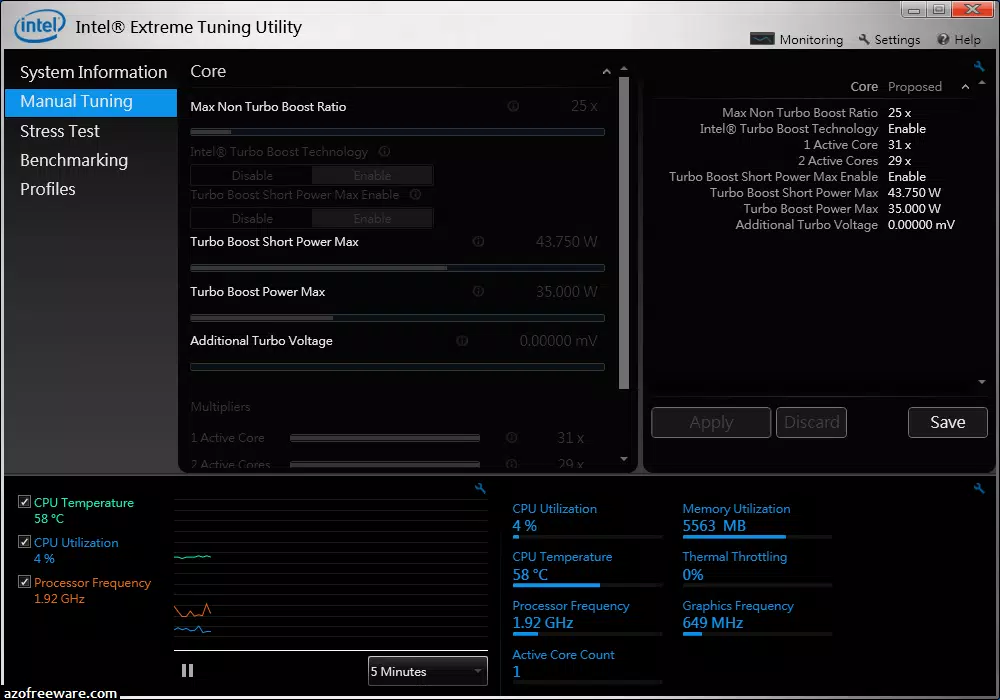
- Real-Time Monitoring: Provides live data on CPU temperature, frequency, power consumption, and voltage levels. This helps users track system behavior during intensive tasks and prevent thermal throttling.
- Stress Testing Suite: Includes built-in tools to simulate high-load scenarios, allowing users to verify system stability after overclocking or configuration changes.
- System Optimization Dashboard: Offers a centralized interface to view system health metrics and performance trends, simplifying the tuning process for beginners and experts alike.
- Compatibility with Intel Processors: Designed specifically for Intel® CPUs and motherboards, ensuring optimal integration with hardware features such as Turbo Boost and Thermal Velocity Boost.
For example, a video editor using a high-end Intel processor could use XTU to increase CPU clock speeds during rendering tasks, reducing processing time. Similarly, a competitive gamer might use the stress testing feature to ensure system stability during extended gaming sessions. These practical applications demonstrate the tool’s value in real-world performance scenarios.
Interface, UX & Performance
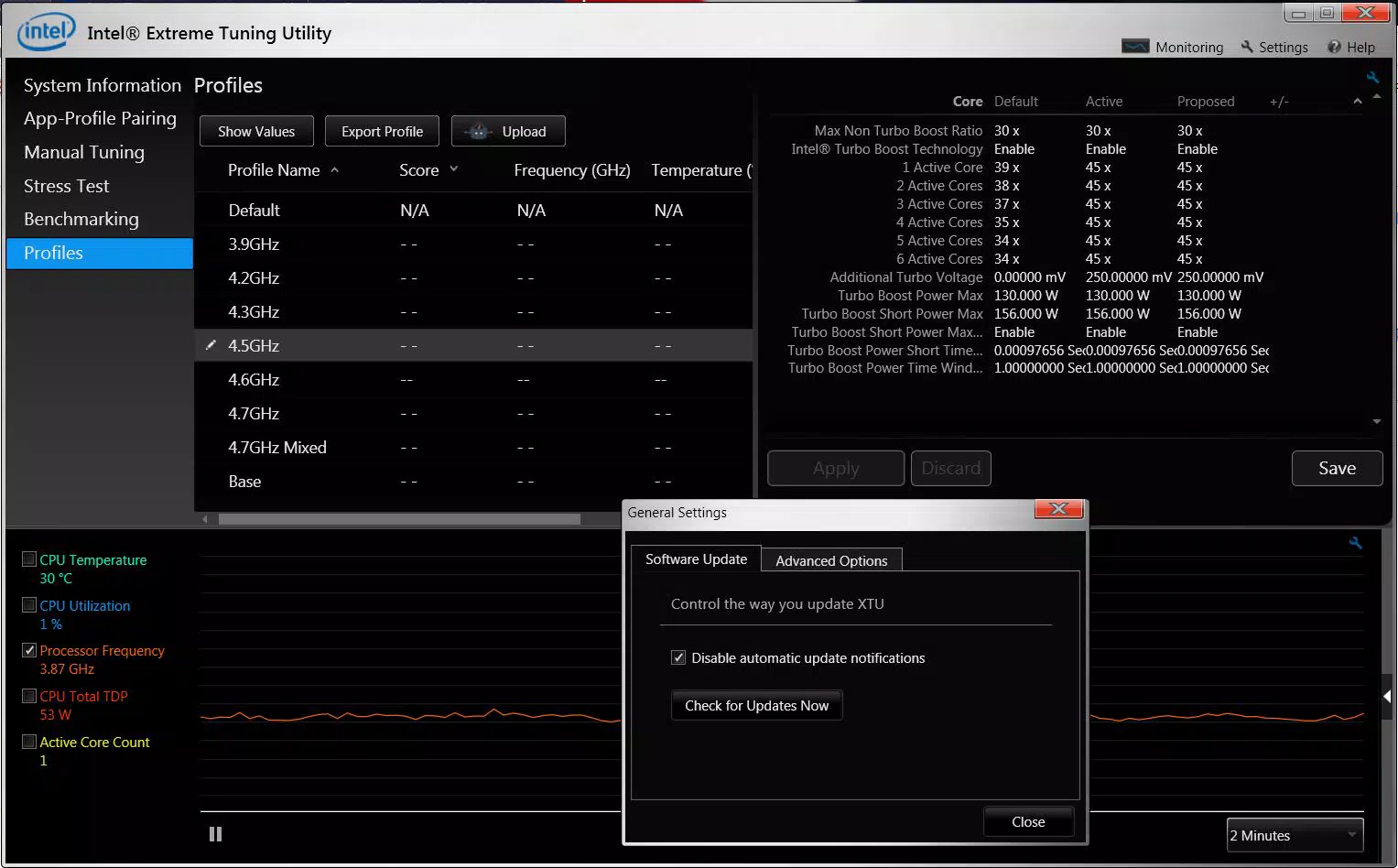
The user interface of Intel XTU is designed with functionality and clarity in mind, presenting system data in a structured and intuitive layout. Navigation is straightforward, with clearly labeled tabs and real-time graphs that visualize CPU performance metrics such as frequency, temperature, and power draw. The visual style is minimalistic, focusing on data accuracy rather than decorative elements, which is appropriate for a tool intended for technical users.
Interaction is consistent across different device categories, though specific performance benchmarks were not provided by the developer. The application operates efficiently on systems with compatible Intel hardware, maintaining responsiveness even during intensive monitoring or overclocking sessions. Although the developer did not list formal performance metrics, the lightweight file size of 31.4 MB suggests optimized resource usage.
Stability is a key strength of the software, with no reported issues related to crashes or data corruption. Users can expect consistent behavior during extended sessions, which is critical when making permanent hardware adjustments. The interface updates in real time, ensuring that users receive immediate feedback on system changes. Overall, the UX prioritizes precision and reliability over aesthetic flair, aligning with the expectations of performance-oriented users.
Platform Compatibility & Technical Requirements
Intel Extreme Tuning Utility is available exclusively for Windows platforms. The current version, 1.1.247.0, has a file size of 31.4 MB. The developer did not specify minimum OS requirements, nor did they list compatibility details for specific Windows versions or hardware configurations beyond general support for Intel® processors and motherboards.
Given the nature of the software, it is intended for desktop systems rather than mobile devices. The absence of information regarding mobile or non-Windows support indicates that the tool is not designed for smartphones or tablets. Users should ensure their system meets the hardware prerequisites for overclocking, though specific requirements were not disclosed.
Pros and Cons
Pros
- Free to download and use, making it accessible to a wide range of users.
- Direct integration with Intel hardware for optimized performance tuning.
- Comprehensive monitoring and stress testing tools for system validation.
- Lightweight design with a minimal footprint of 31.4 MB.
- Designed for both beginners and advanced users with intuitive controls.
Cons
- Not available for mobile platforms such as Android or iOS.
- Compatibility with non-Intel hardware is not confirmed.
- Developer did not provide detailed system requirements or supported Windows versions.
- Advanced features may require technical knowledge to use safely.
- Only supports Intel CPUs and motherboards, limiting cross-platform utility.
FAQ
Is Intel XTU safe to use?
Yes, when used responsibly, Intel XTU is safe. However, overclocking can increase heat and power consumption, so users should monitor temperatures and ensure adequate cooling.
Can I use Intel XTU on any Windows PC?
Intel XTU is designed for systems with compatible Intel processors and motherboards. It may not function properly on non-Intel hardware or older systems.
Is Intel XTU free to download?
Yes, the software is available at no cost. It is distributed by Intel Corporation without licensing fees.
Does Intel XTU work on mobile devices?
No. Intel XTU is a Windows-based desktop application and is not available for Android or iOS devices.
How often should I update Intel XTU?
It is recommended to install updates when available, as they may include bug fixes, improved stability, and support for newer Intel processors.
Final Thoughts
Intel Extreme Tuning Utility stands as a powerful, free tool for users aiming to maximize the performance of their Intel-based systems. Its ability to monitor, stress test, and overclock CPUs makes it indispensable for enthusiasts and professionals alike. While it is limited to Windows and Intel hardware, its depth of functionality and reliability justify its place in the productivity software category.
Users who are serious about system optimization—whether for gaming, content creation, or high-performance computing—will find significant value in XTU. Its lightweight design and free access further enhance its appeal. For those seeking to unlock the full potential of their Intel CPU, this tool offers a direct, efficient path to performance gains.
Download Intel Extreme Tuning Utility (XTU) now and take control of your system’s performance.


